

Manual Config Compare in rConfig V8 Core
After reading this page, you can compare any two configuration files in rConfig V8 Core: two versions from the same device, or configs from two different devices. Unlike the per-device history view that compares sequential versions, Manual Compare lets you pick any two configs for ad-hoc analysis in the Monaco diff editor.
When to use this
Section titled “When to use this”Use Manual Compare when the two configs you want to diff are not adjacent versions of the same device. Typical cases are validating a new device against a template, checking today’s config against a known-good one from weeks ago, auditing a device against a golden standard, or previewing a proposed change before you deploy it.
Prerequisites
Section titled “Prerequisites”- An rConfig V8 Core account with access to Config Tools
- At least two downloaded configs to compare (same device or two devices). See Configuration backups in rConfig V8 Core to capture configs first.
- The same command captured on both sides where possible (for example
show runon each), so the diff is meaningful
How Manual Compare works
Section titled “How Manual Compare works”Manual Compare operates independently from the per-device history view. You explicitly select both configuration files, compare them, and analyse the differences in the Monaco Editor (the same diff engine used by VS Code).
Key capabilities:
- Compare configurations from any two devices
- Compare any two versions from the same device
- Compare configurations from different time periods
- Copy or download either side independently
Common scenarios
Section titled “Common scenarios”- Cross-device validation: deploy a new access switch and confirm its config matches a template device. Put the template on the left and the new device on the right.
- Non-sequential version comparison: a device was healthy two weeks ago and is broken today. Compare today’s config against the known-good version from two weeks ago, skipping the versions in between.
- Golden config auditing: compare a production device against your golden standard for that device type to prove compliance and surface drift.
- Pre-change impact analysis: compare the current config (left) against a proposed config (right) to preview exactly what a change will alter.
Step-by-step walkthrough
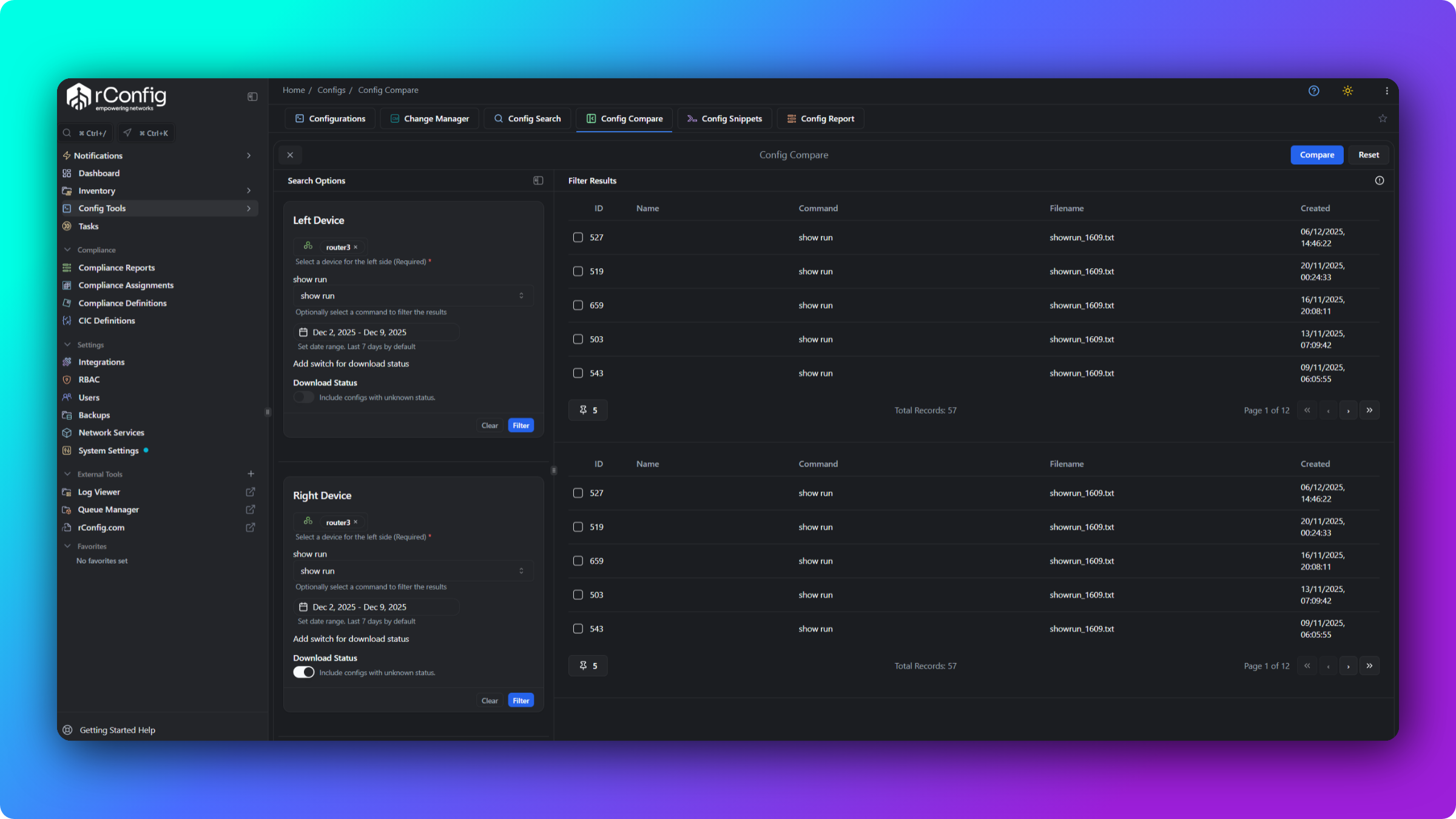
Section titled “Step-by-step walkthrough”- Navigate to Config Tools → Config Compare.
- Select the left side: choose a Device, then a Command (for example
show run), then pick a Config version from the results table. - Select the right side: choose a Device (the same device or a different one), a Command, and a Config version.
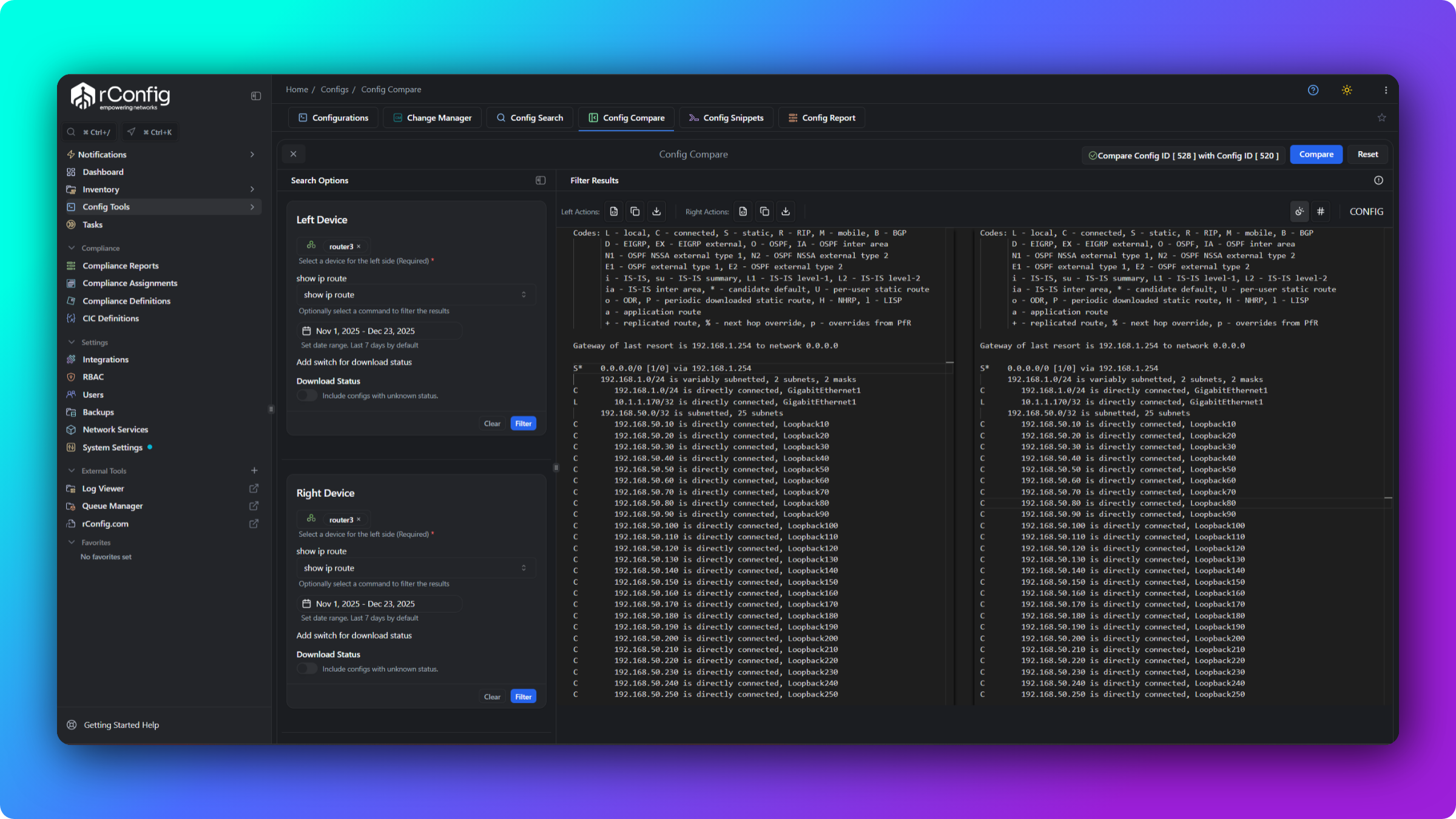
- Click Compare. The button enables once both sides have a config selected.
- Analyse the differences in the Monaco diff view.
Configuration status filter
Section titled “Configuration status filter”By default, only successfully downloaded configurations are listed for comparison. Failed or incomplete downloads (truncated output, connection timeouts) would produce misleading diffs, so they are filtered out. Include configs with an unknown status only when troubleshooting partial downloads.
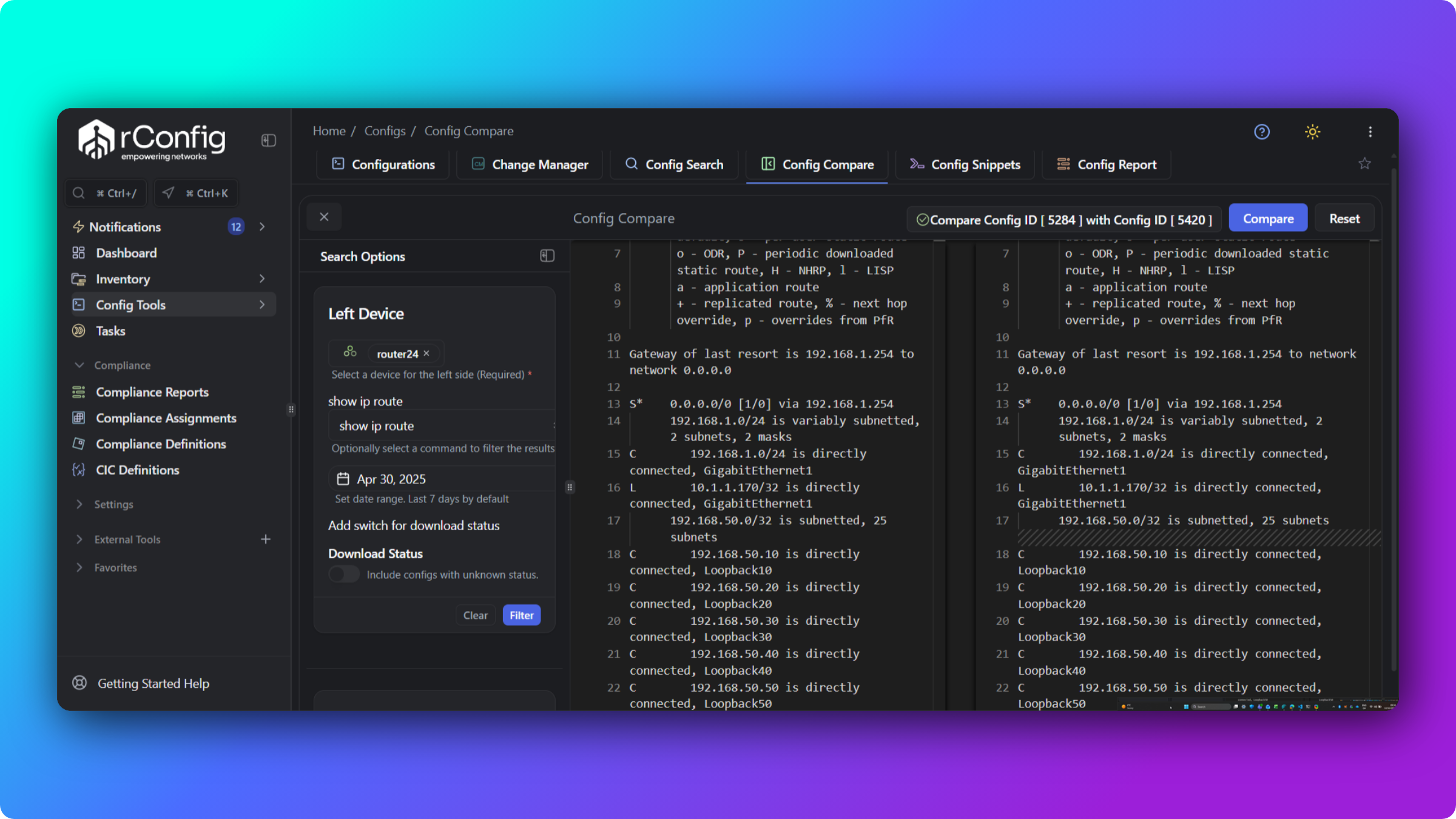
How to read the diff colour coding
Section titled “How to read the diff colour coding”| Colour | Meaning | Left side | Right side |
|---|---|---|---|
| Red | Removed (left only) | Has content | Missing content |
| Green | Added (right only) | Missing content | Has content |
| Yellow / orange | Modified | Original content | Changed content |
| Gray | Unchanged | Same content | Same content |
When you compare old (left) against new (right): red lines are removed, green lines are added, yellow lines changed, and gray lines are identical (collapsed by default to reduce clutter, click to expand for context).
Monaco editor features
Section titled “Monaco editor features”Manual Compare uses the Monaco Editor for diff visualisation:
- Side-by-side and inline views (toggle)
- Minimap and change indicators for quick navigation
- Synchronised scrolling so both panes stay aligned
- Copy or download either side independently
- Find within the diff with
Ctrl+F/Cmd+F - Dark mode and line-number toggles
Common gotchas
Section titled “Common gotchas”What’s next
Section titled “What’s next”- Config diffs and versioning in rConfig V8 Core for how rConfig versions and diffs configs automatically
- Diff exclusions in rConfig V8 Core to filter recurring noise out of every comparison
- Config Search in rConfig V8 Core to locate the exact configs you want to compare